

1. Visit www.afrisell.co.za
2. On the homepage, click the “Portal” option.
3. Enter your cellphone number.
4. You will receive an OTP (One-Time Pin) via SMS.
5. Enter a valid email address to create your account.
6. A verification email will be sent to your inbox — open it and verify your account. Please check your junk/spam folder if it does not show up in your inbox.
If you already have an Afrisell account, you will also be asked to verify your account via verification email.
You will not be able to order stock from a non-verified account.
7. Create a secure password that you will use to log in.
8. Complete the registration process.
1. Visit www.afrisell.co.za and log in to the Afrisell Portal.
2. Select Reset Password.
3. Enter the cellphone number (same as registration) and your active email.
4. Enter the OTP sent via SMS.
5. Create and confirm your new password.
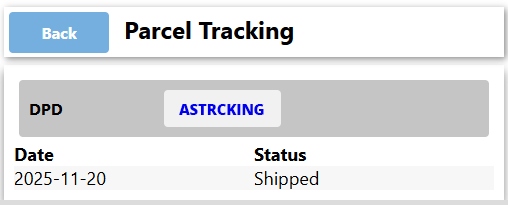
1. Visit www.afrisell.co.za and log in to the Afrisell Portal.
2. Click on “ Parcel Tracking”.
3. View your Delivery Status, which may show:
– Preparing Order
– Shipped
– In Transit
– Delivered
If your package is delayed, contact info@afrisell.co.za
1. Visit www.afrisell.co.za and log in to the Afrisell Portal.
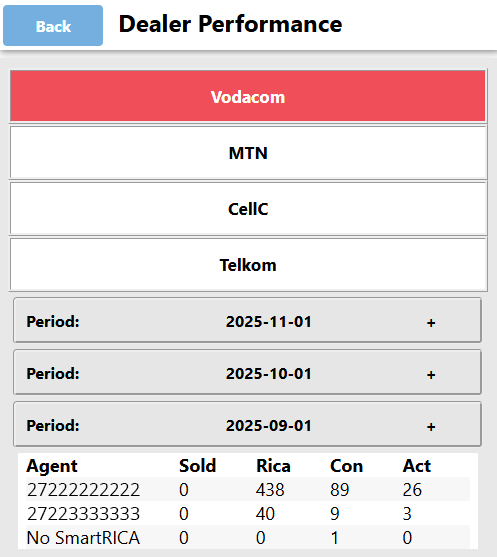
2. Go to “Dealer Performance.”
3. View each agent’s report, including:
– RICA, Recharged and Activated SIMs
1. Visit www.afrisell.co.za and log in to the Afrisell Portal.
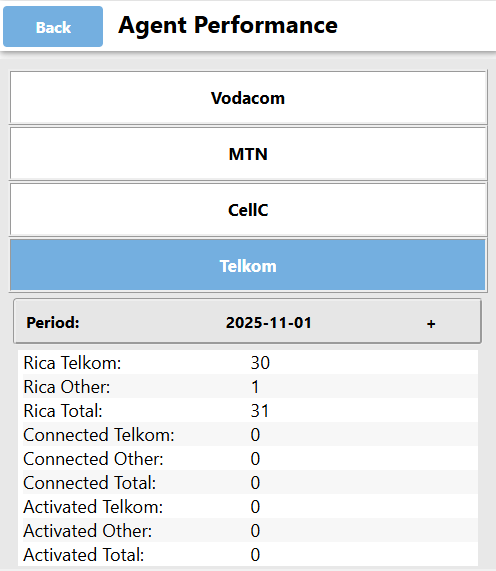
2. Go to “Agent Performance” to view your complete RICA summary.
This section provides a detailed breakdown of the number of SIM cards you have RICA’d , Connected and Activated.
1. Visit www.afrisell.co.za and log in to the Afrisell Portal.
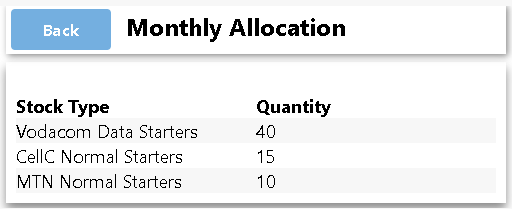
2. Go to “Monthly Allocation” Section.
3. View Allocated Stock: Network and Quantity.
1. Visit www.afrisell.co.za and log in to the Afrisell Portal.
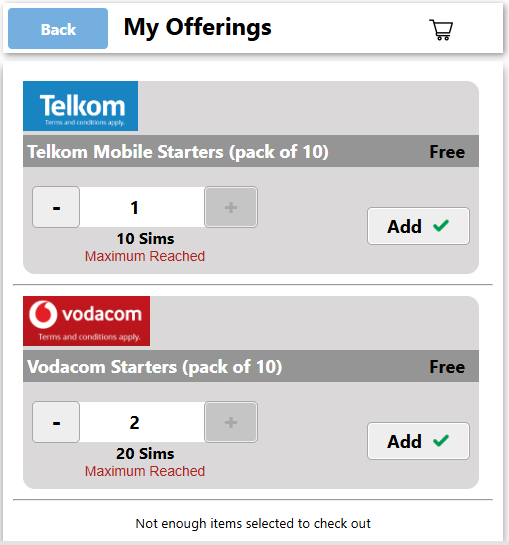
2. Go to My Offering.
3. Confirm the number of starter packs you need for the month.
4. Add your selections to the order.
5. Complete your order.
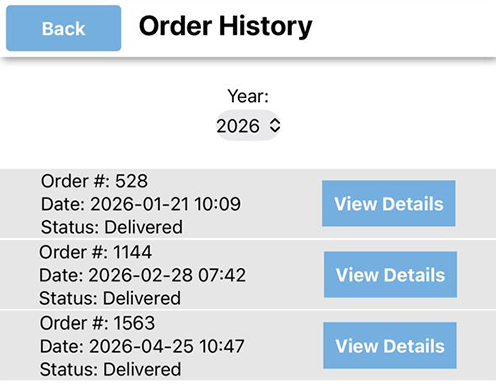
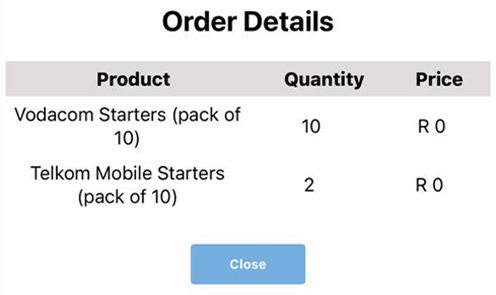
1. Visit www.afrisell.co.za and log in to the Afrisell Portal.
2. Go to “Order History”
This will display the number of starter packs you have received from Afrisell.
For assistance, contact us at info@afrisell.co.za.